New patient
- Patients, then New patient. Type the name (Arabic or English) and a phone number. The rest is optional.
- If the program shows a possible duplicate, open the existing file instead of making a second one.
- The file number is given by the reception computer. If you work on another computer, the patient gets a number after the next sync.
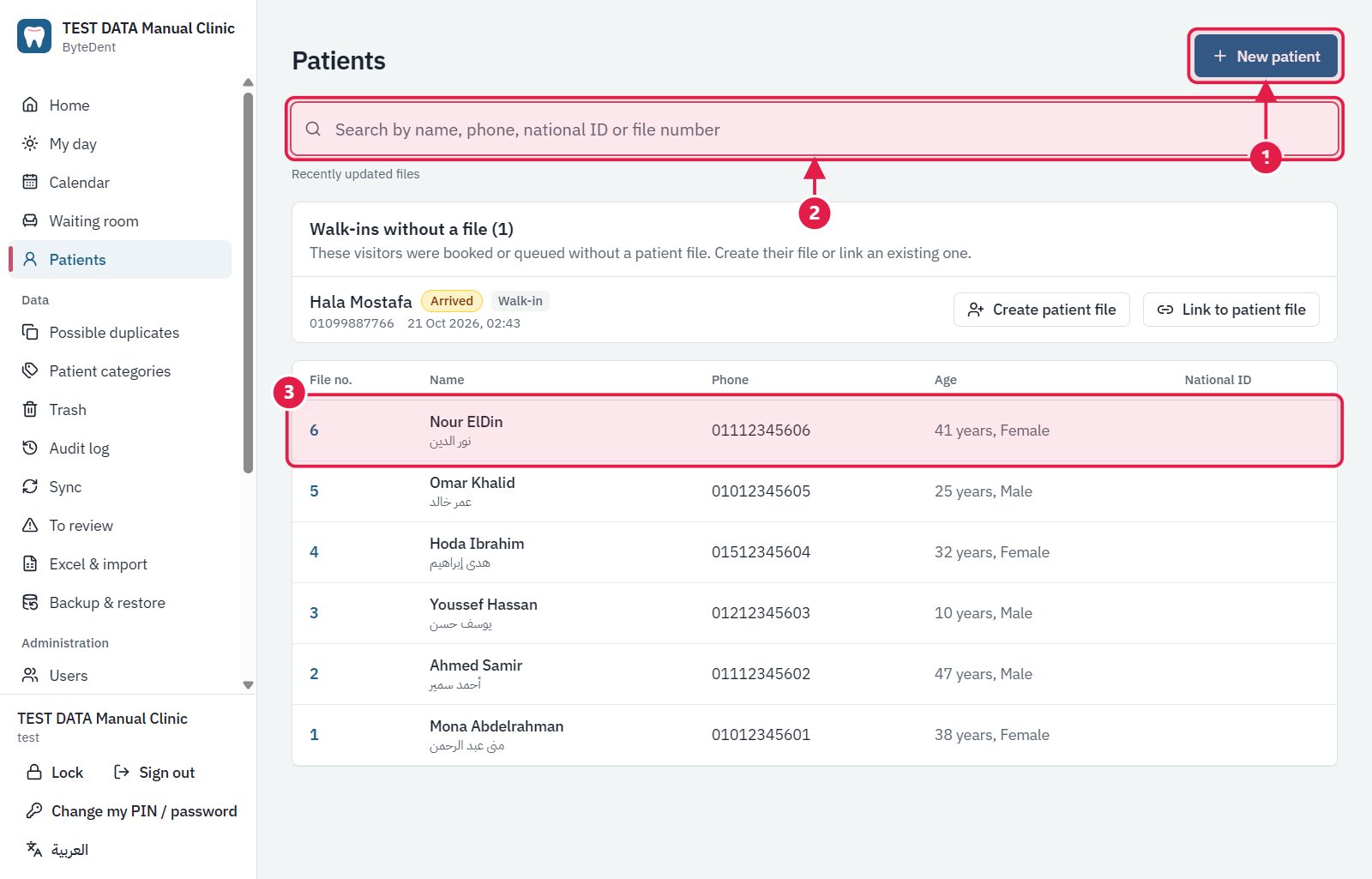
- New patient starts a new file.
- Search by name, phone, national ID or file number: type a few letters or digits.
- Click a row to open the patient's file.
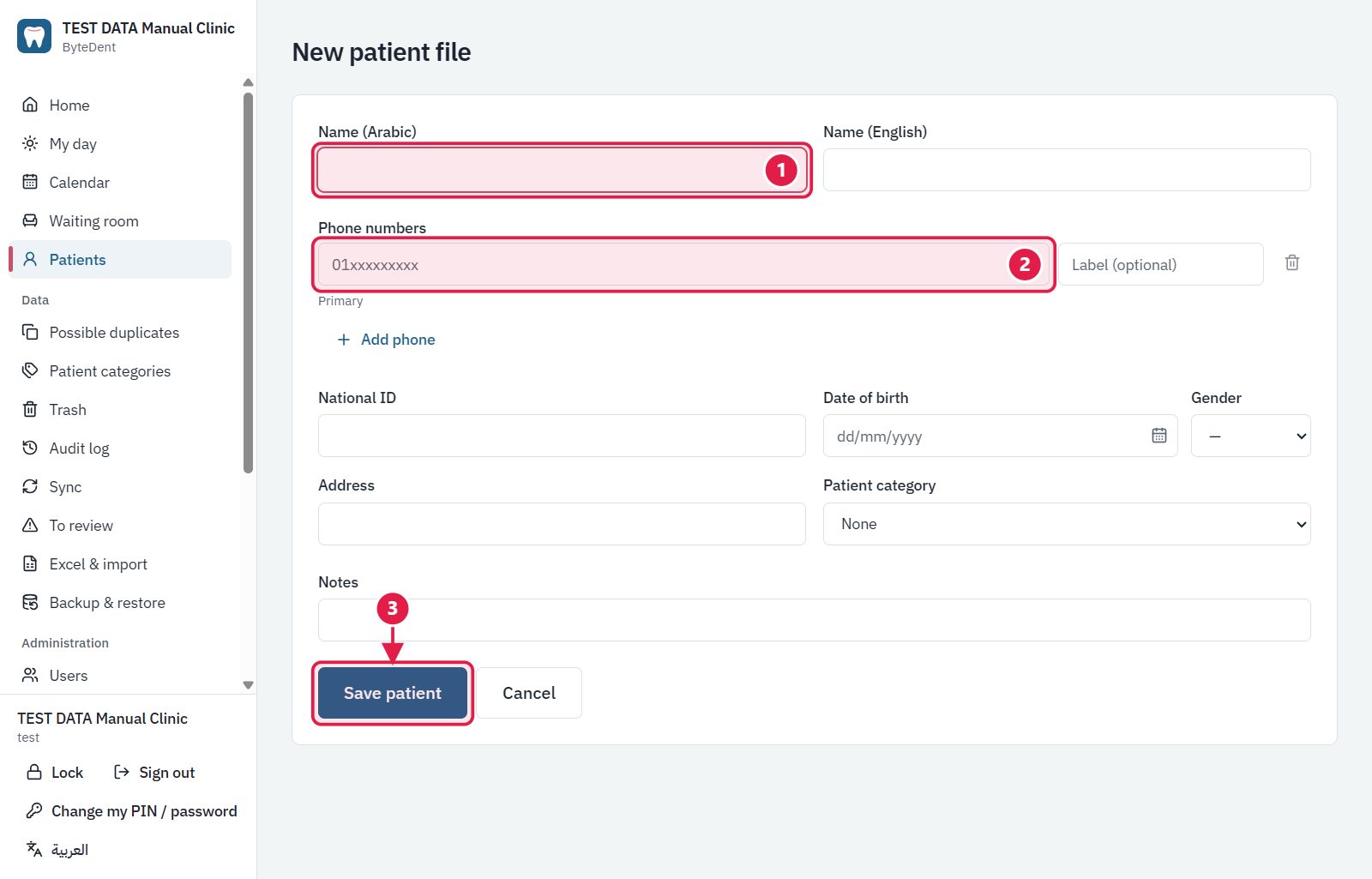
- The name. Arabic or English is enough, the other is optional.
- The phone number (a patient needs at least one).
- Save patient. The file gets its number.
Tip Search first. A patient who already has a file must not get a second one.