Book an appointment
- Calendar: click the free time under the doctor, or press New appointment.
- Choose the patient, the doctor, the chair and the time. The program warns you about clashes and working hours.
- After a visit, press Book next visit on the visit to book the follow-up quickly.
- To remind the patient by WhatsApp, open the appointment and press the WhatsApp reminder button, then send.
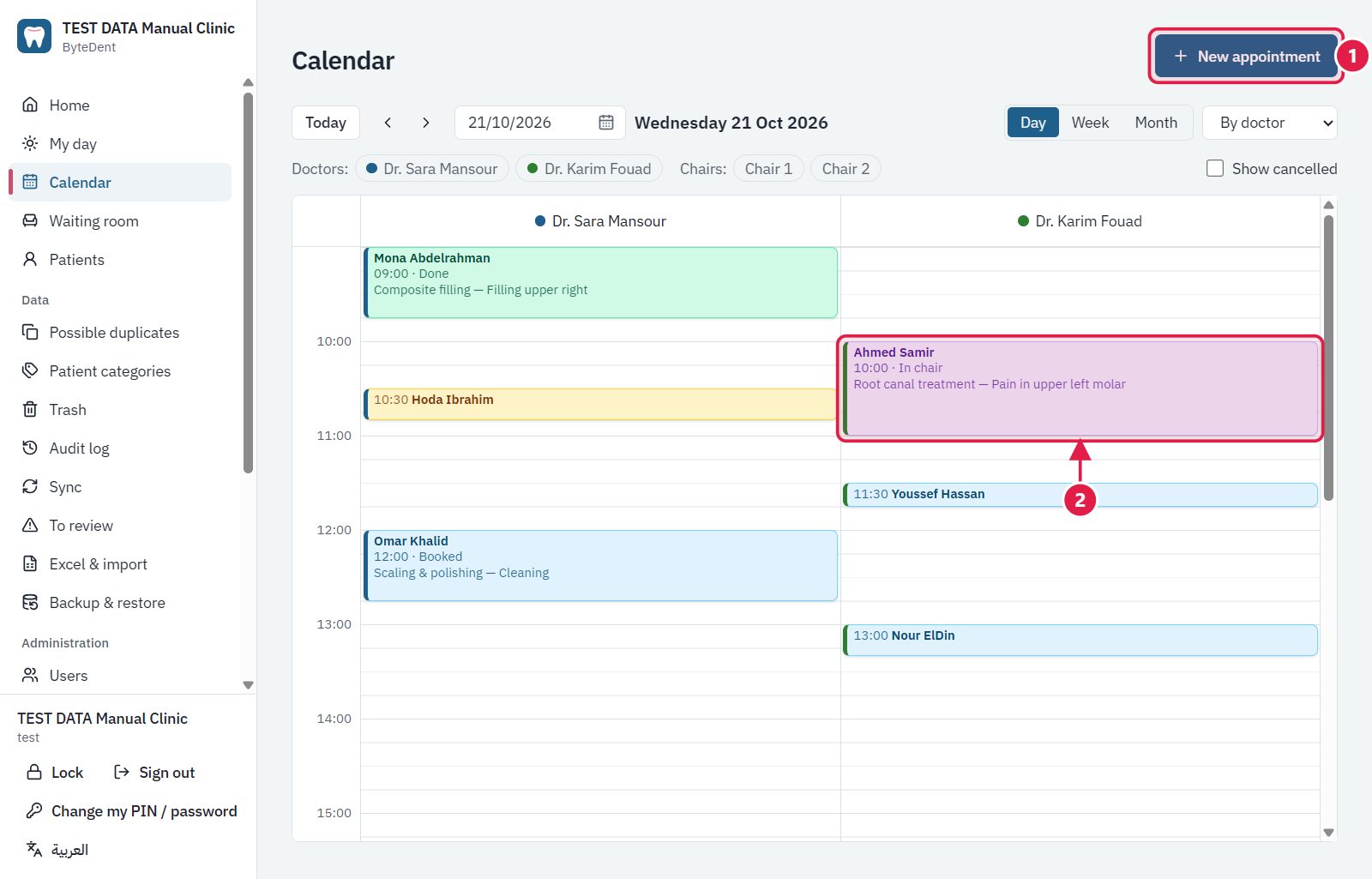
- New appointment: the booking window.
- Click an appointment to open, move or change its status. Colors follow the status.
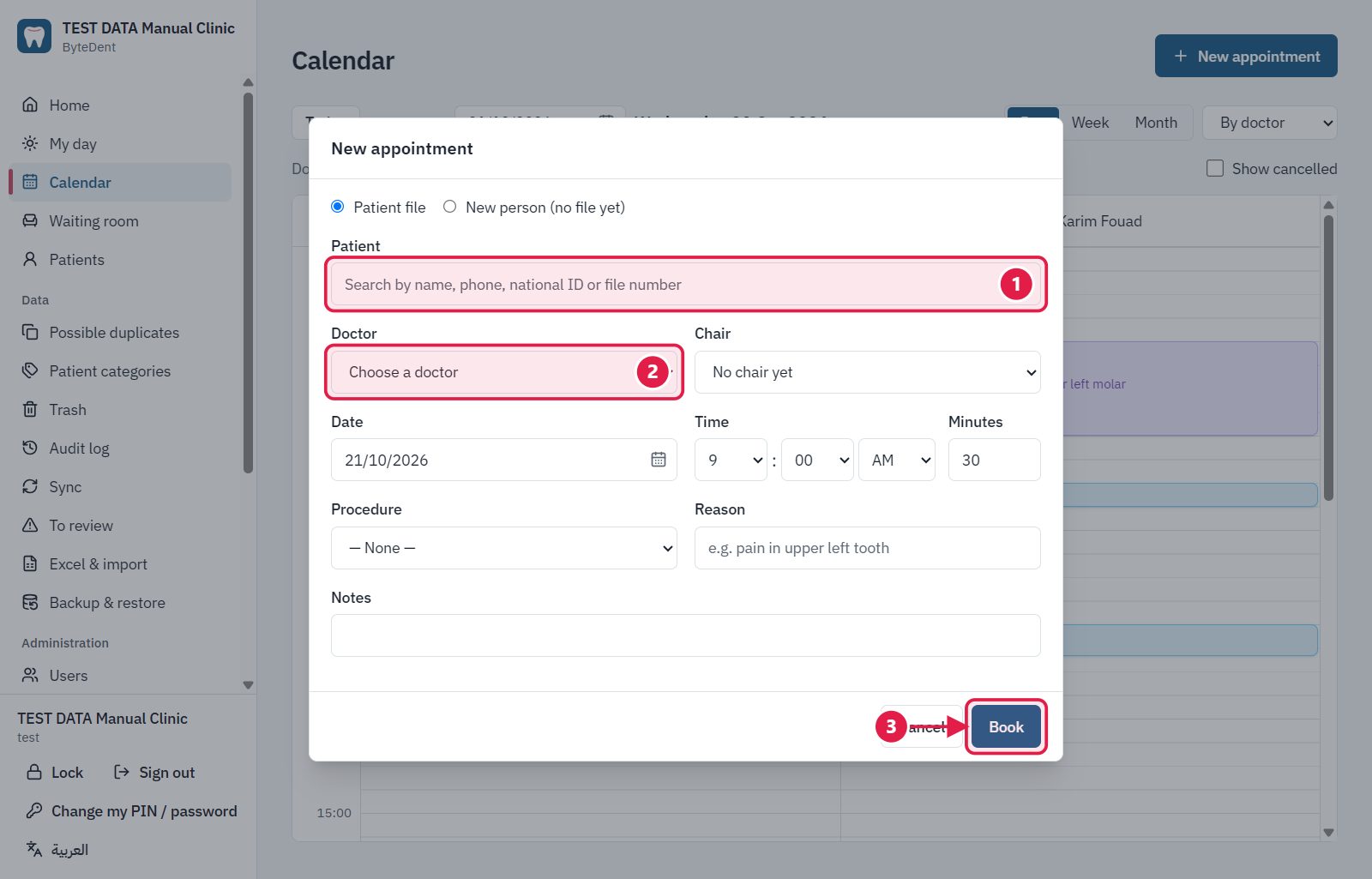
- Find the patient by name, phone or file number (or choose “New person” for someone without a file).
- Choose the doctor. The chair, date and time are below.
- Book. The program warns you about clashes and working hours first.
Tip A clash with another booking or with working hours shows a warning. Read it before you confirm.