Start of the day
- Open ByteDent and sign in with your name and PIN (or password).
- On Home, check the backup card: it should say the last backup succeeded. If it says a backup is overdue, press Back up now.
- If a yellow banner says the license ends soon, tell the owner (License in the menu).
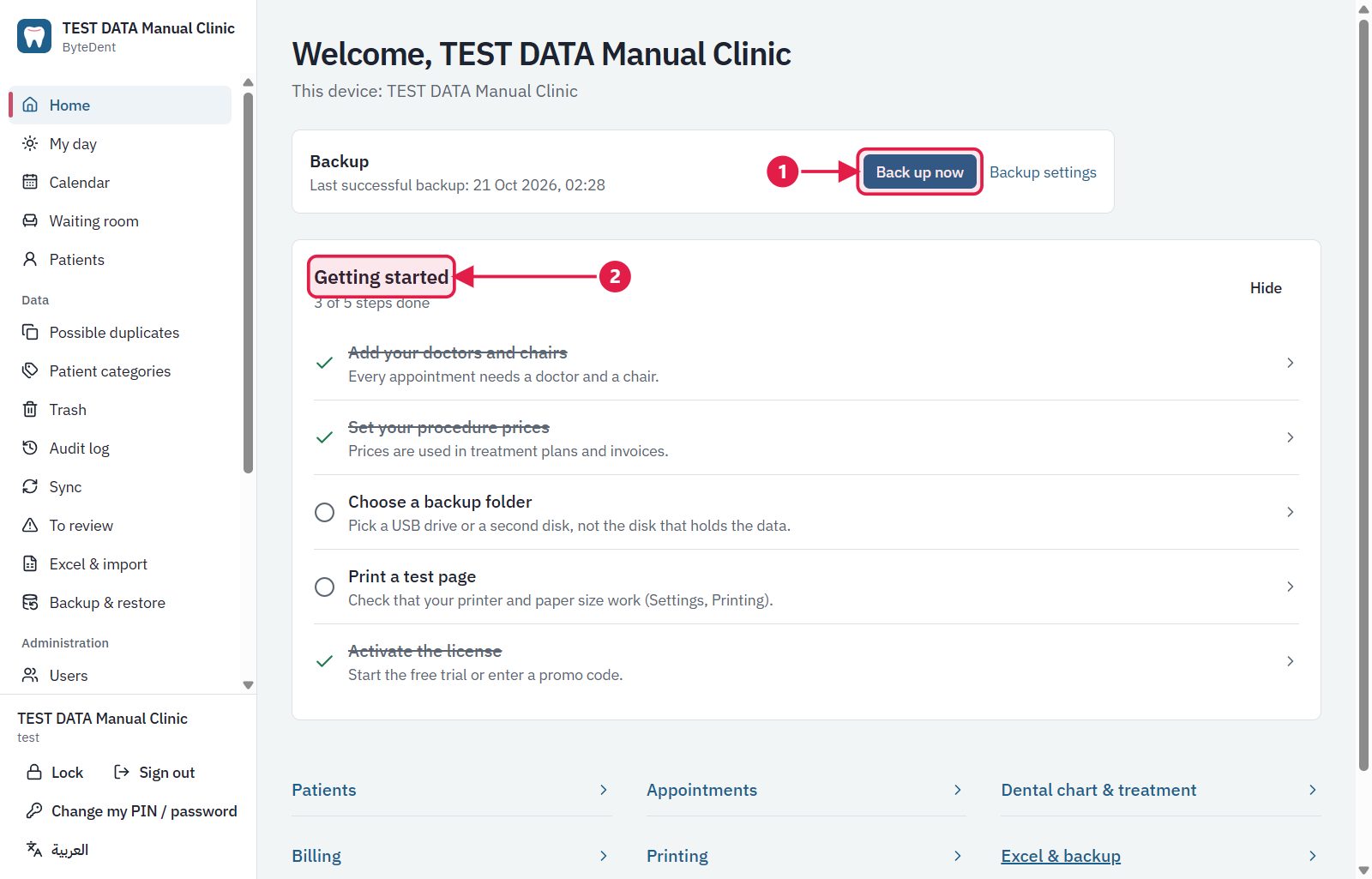
- Press Back up now if the card says the backup is late.
- Getting started: the checklist shows what is still to set up.