Money: invoices and payments
- Open the patient, then Billing. Work the doctor recorded appears as unbilled work: create an invoice from it.
- Check the prices (a price of zero asks you to confirm), add a discount with a reason if needed, then Issue. An issued invoice cannot be edited: void it with a reason and correct it.
- Record a payment: choose the method and the amount. You cannot pay more than what remains. A wrong payment is corrected with a reversal, never deleted.
- Print the receipt. For a patient with a balance, print the statement from Billing.
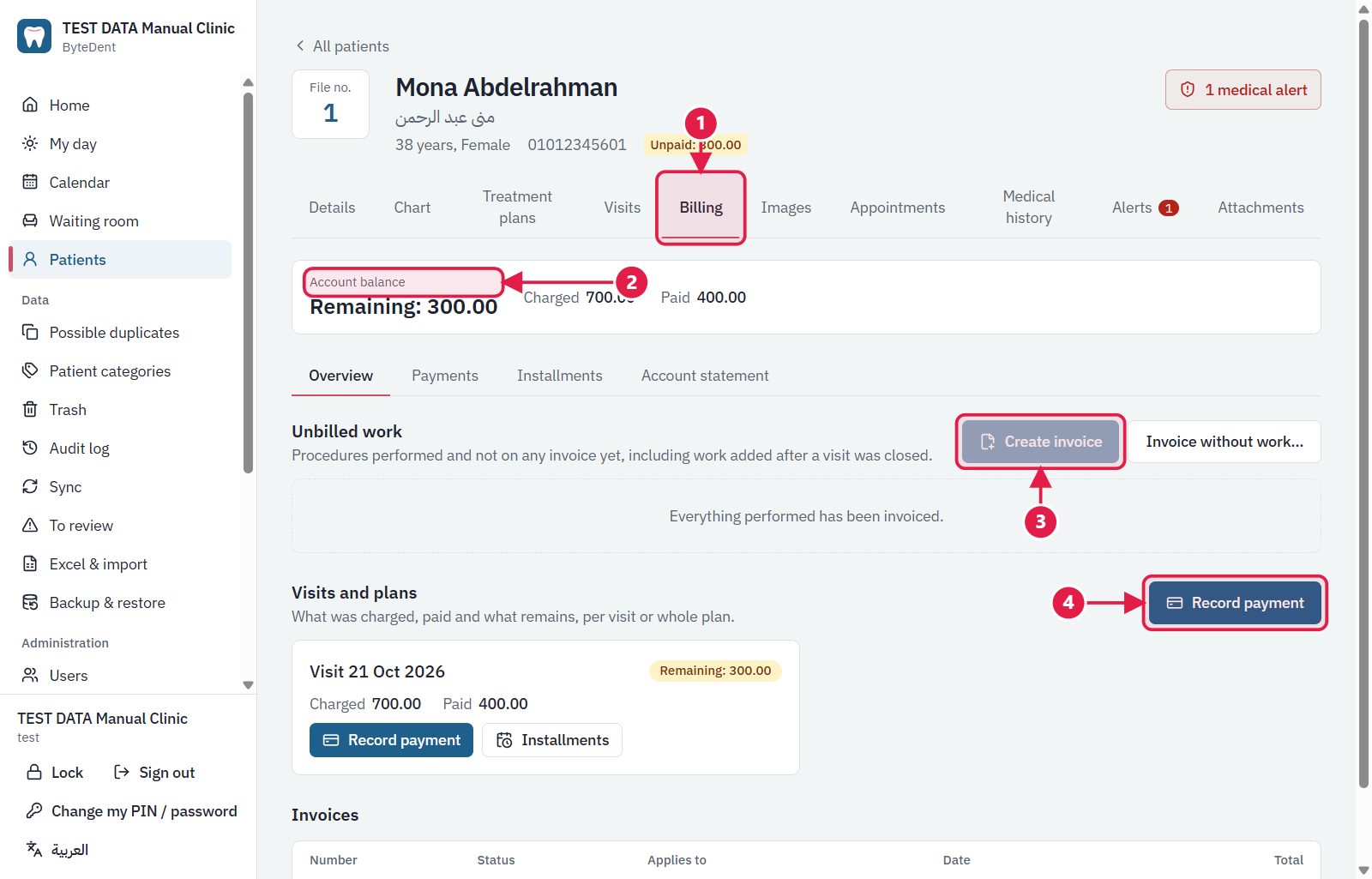
- The Billing tab of the patient.
- Account balance: charged, paid and what remains.
- Create invoice: from the work the doctor recorded.
- Record payment: for a visit or a whole plan.
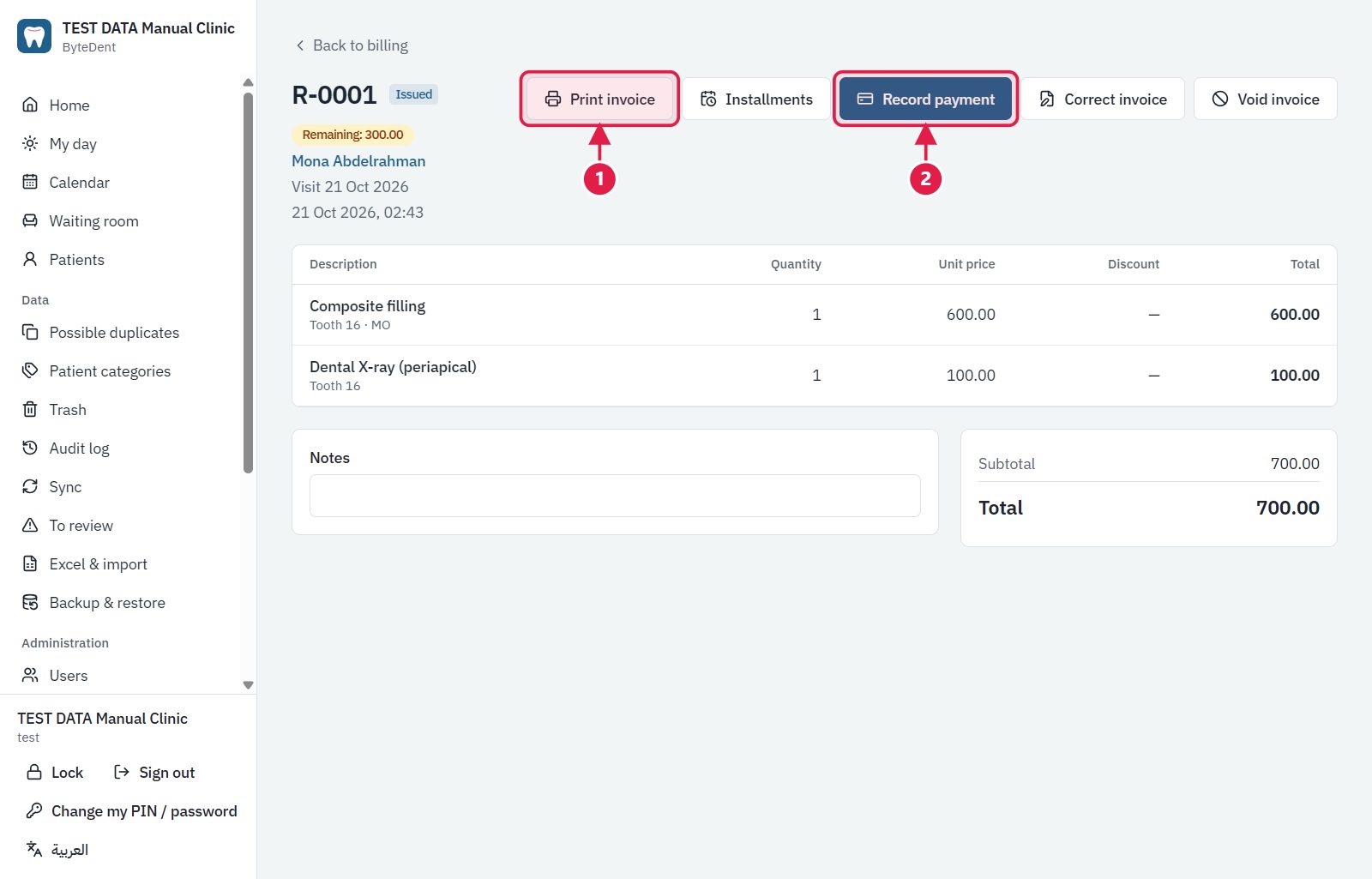
- Print invoice: choose the language and paper first.
- Record payment: the amount cannot be more than what remains.
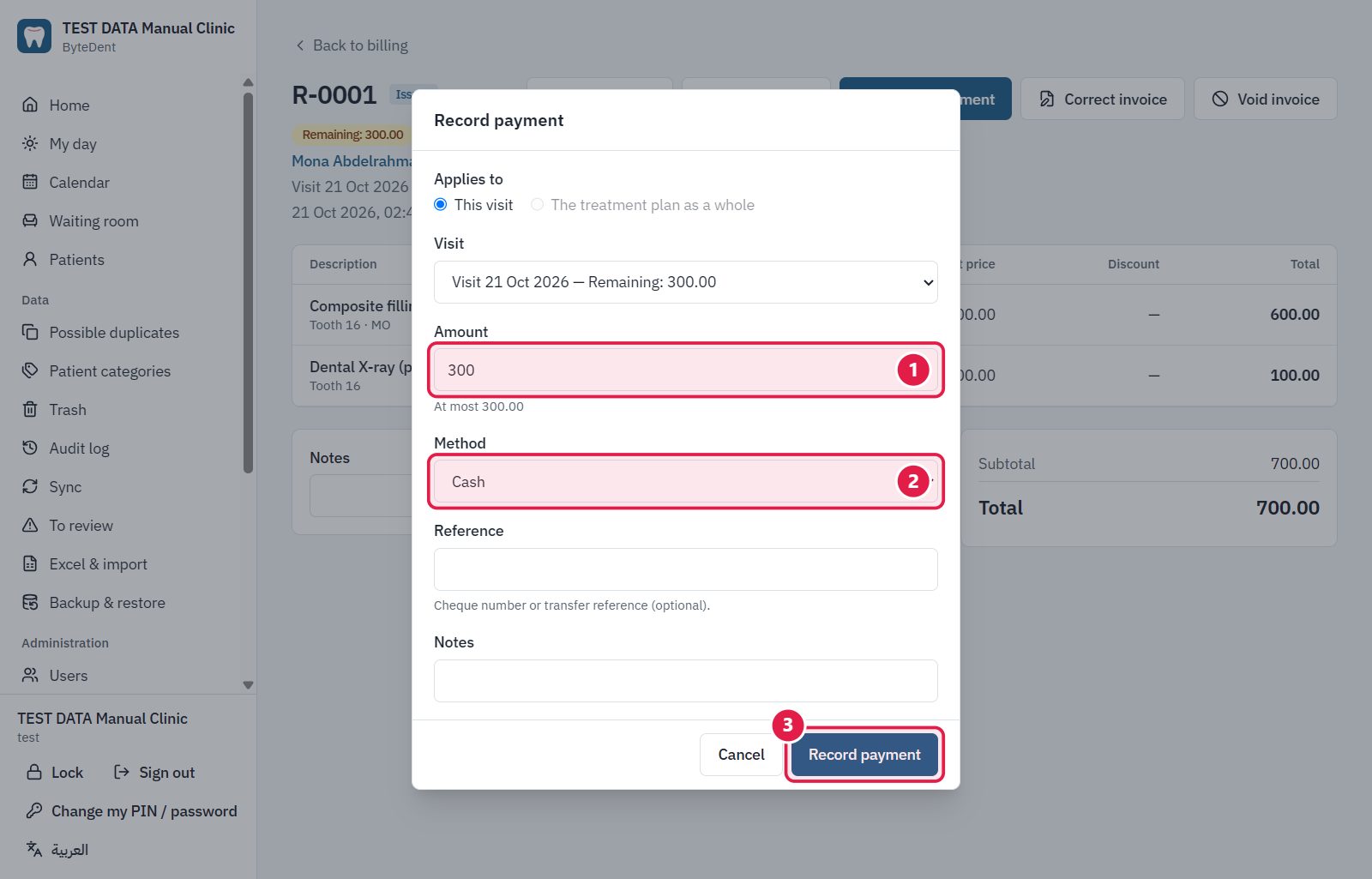
- The amount (at most what remains).
- The method: cash, card, cheque, InstaPay…
- Record payment.
Tip Payments are never edited. A wrong payment is cancelled with a reversal and a new one is entered.