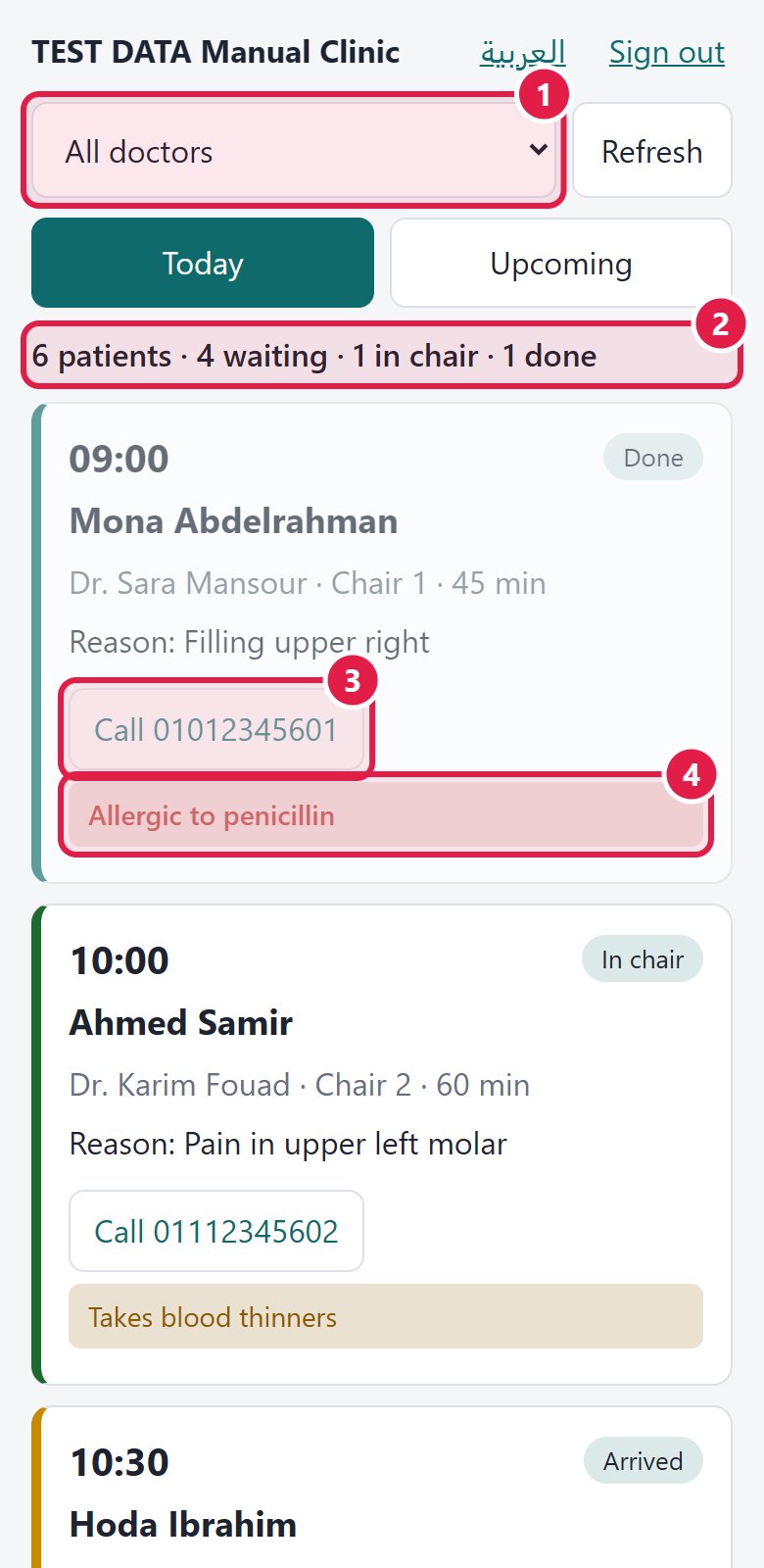
The page shows Today: how many patients are waiting, in chair and done, and one card per patient with time, chair, status, phone (tap to call), the reason for the visit and the medical alerts. Upcoming shows the next days.
Use the doctor filter to see only your patients. The line “Last update from the clinic” tells you how fresh it is; if it says the data is old, the clinic computers may be off.
The page is read-only: there are no charts, notes, images or money on the phone, by design. Press Sign out if you lend your phone.
Lost your phone? Tell the owner at once: they turn your access off or remove you, and nothing new reaches that phone.
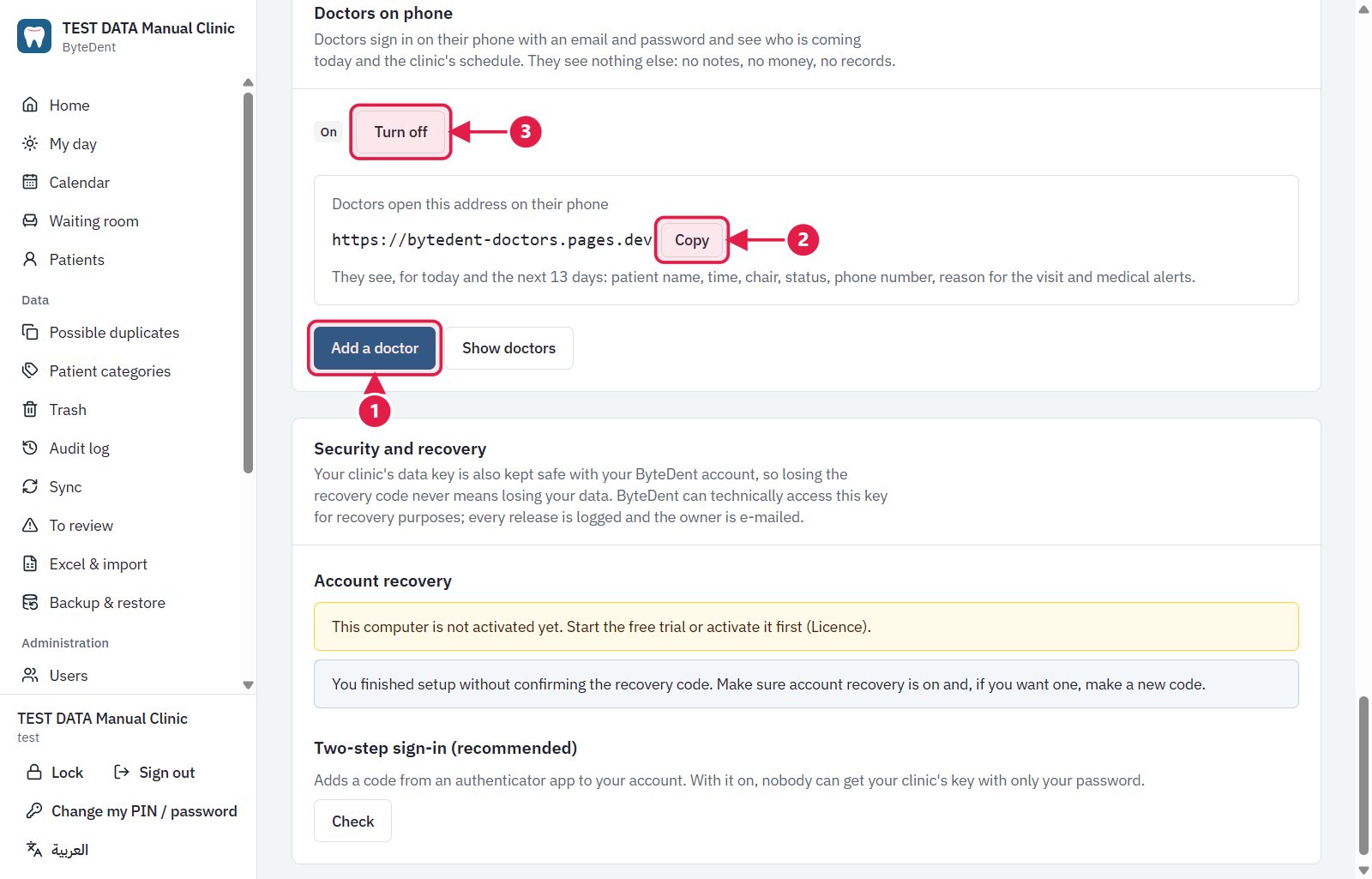
Add a doctor: gives a doctor an e-mail and a first password.
The address doctors open on their phone.
Turn off: stops everything new reaching the phones at once.
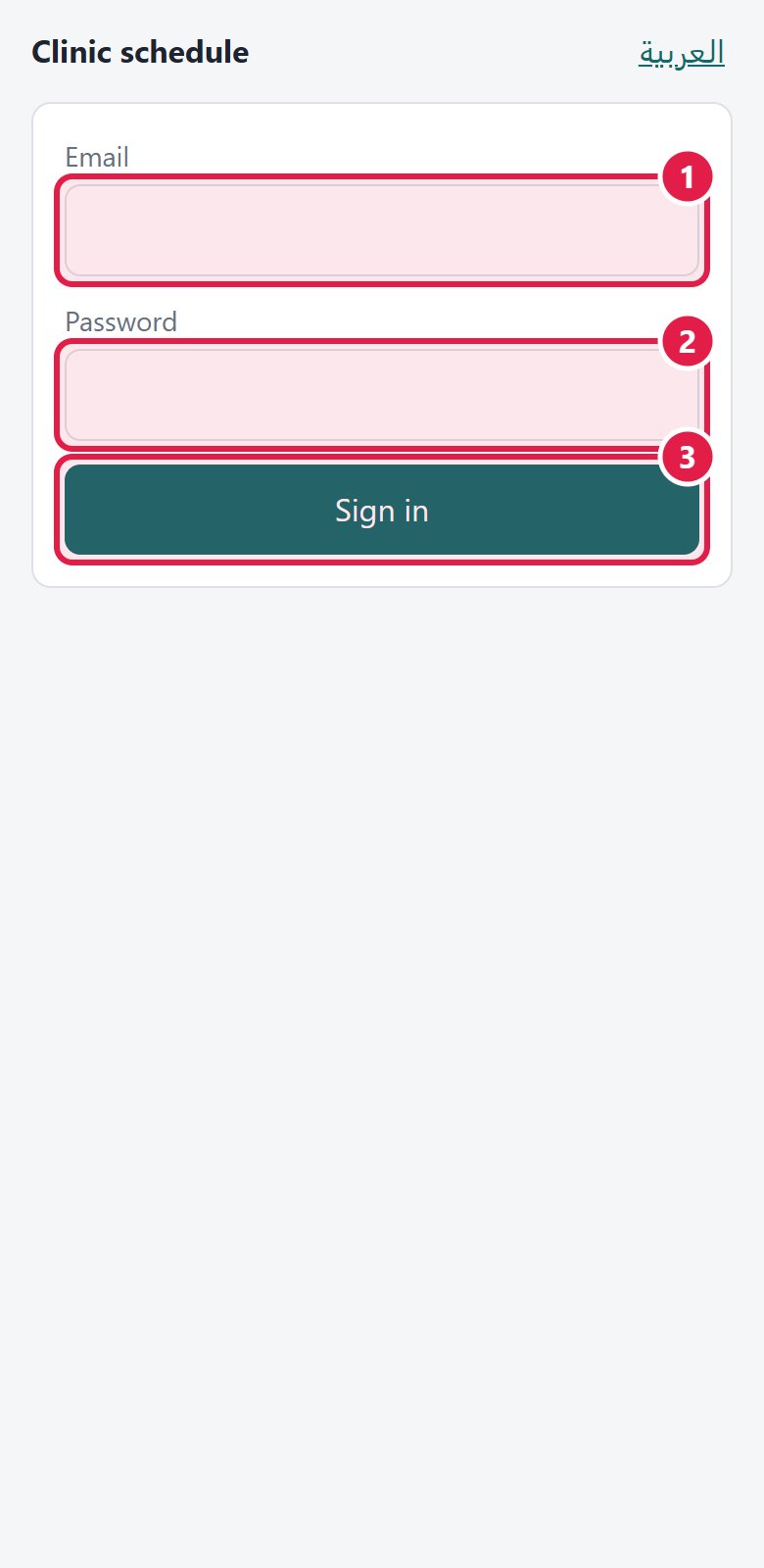
The e-mail the owner gave you.
Your password.
Press Sign in.
Choose all doctors, or only your own patients.
How many patients are waiting, in the chair and done.