Skip to content
- In the visit, click a tooth, then the surface (M, O, D, B, L, and I or F on front teeth) and choose the condition.
- The legend explains the colors. The chart keeps a history: use the date selector to see how the mouth looked before.
- Change the tooth numbering style (FDI, Universal or Palmer) in Settings if you prefer another.
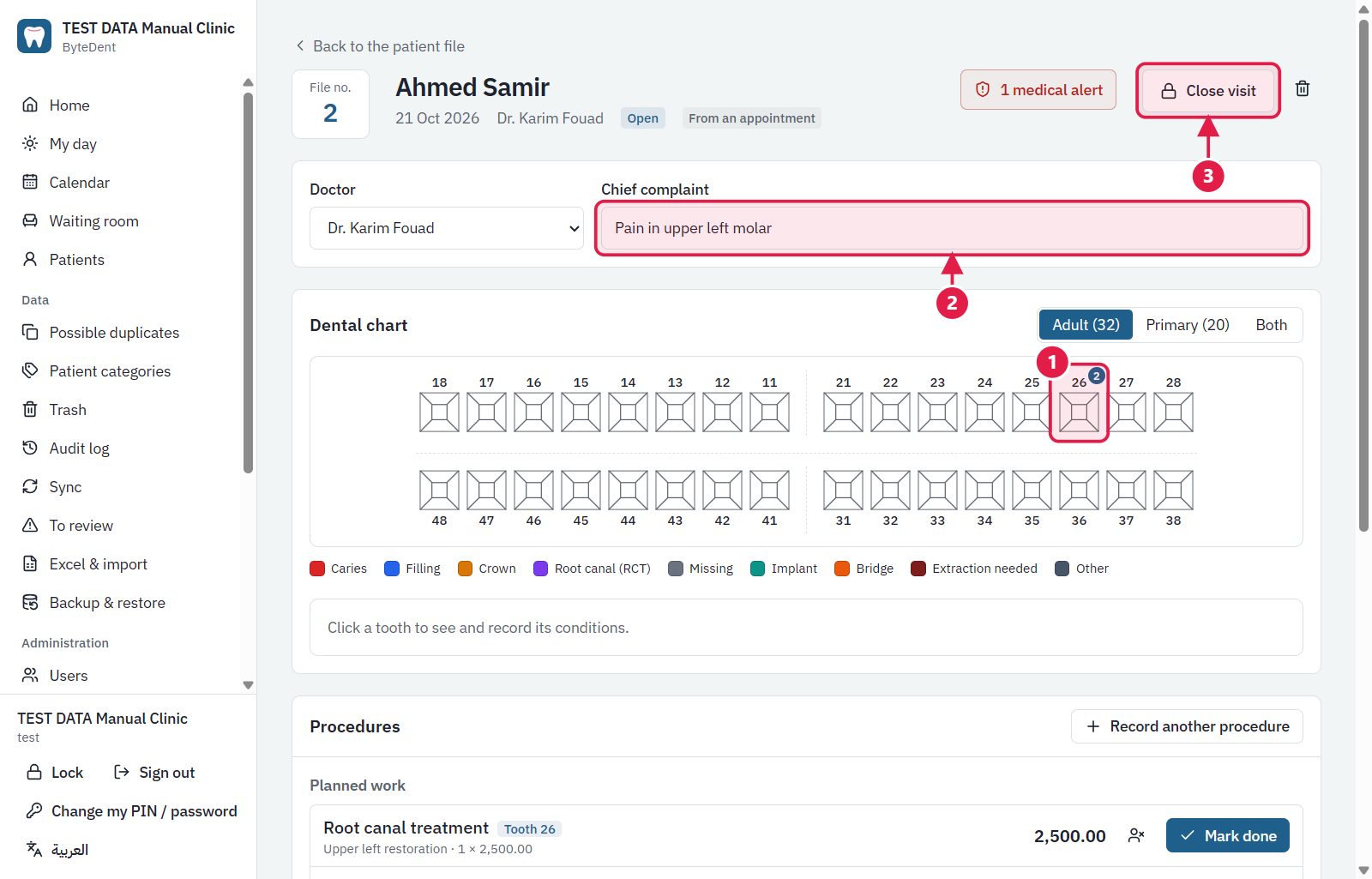
- Click a tooth to see and record its conditions.
- The reason for the visit.
- Close visit when the visit is finished.
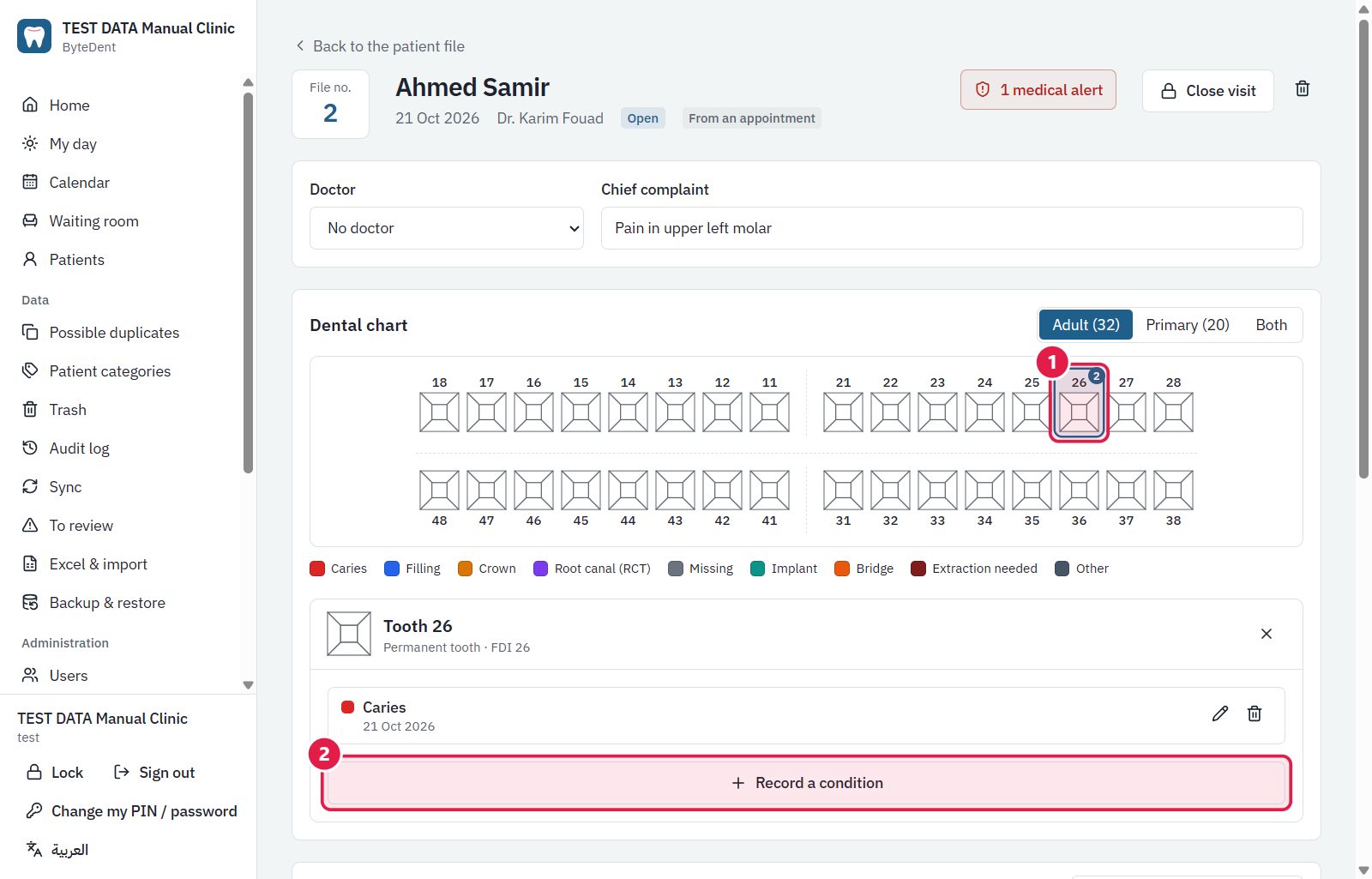
- The selected tooth and its history.
- Record a condition: choose the condition and the surfaces.